How to Stay in Control of Your Android When Gemini Does the Heavy Lifting
Introduction
Google's reveal of Gemini Intelligence feels like a leap into a sci-fi future. Your phone can now search, plan, compare, reply, and execute multi-step tasks on your behalf — almost like a personal assistant that acts before you even ask. But if Gemini can do everything for you, where does that leave you? Are you just a supervisor, approving actions an AI has already taken? This guide will help you navigate this new reality. Instead of feeling obsolete, you'll learn how to become an active collaborator with your AI, ensuring you stay in the driver's seat while Gemini handles the grunt work.

What You Need
- An Android phone (Pixel 8 or later recommended for full Gemini Intelligence features)
- Google account with Gemini access (may require enrollment in beta)
- Stable internet connection
- Understanding of basic Android settings
- Willingness to experiment and adapt
Step-by-Step Guide
Step 1: Understand What Gemini Can Actually Do
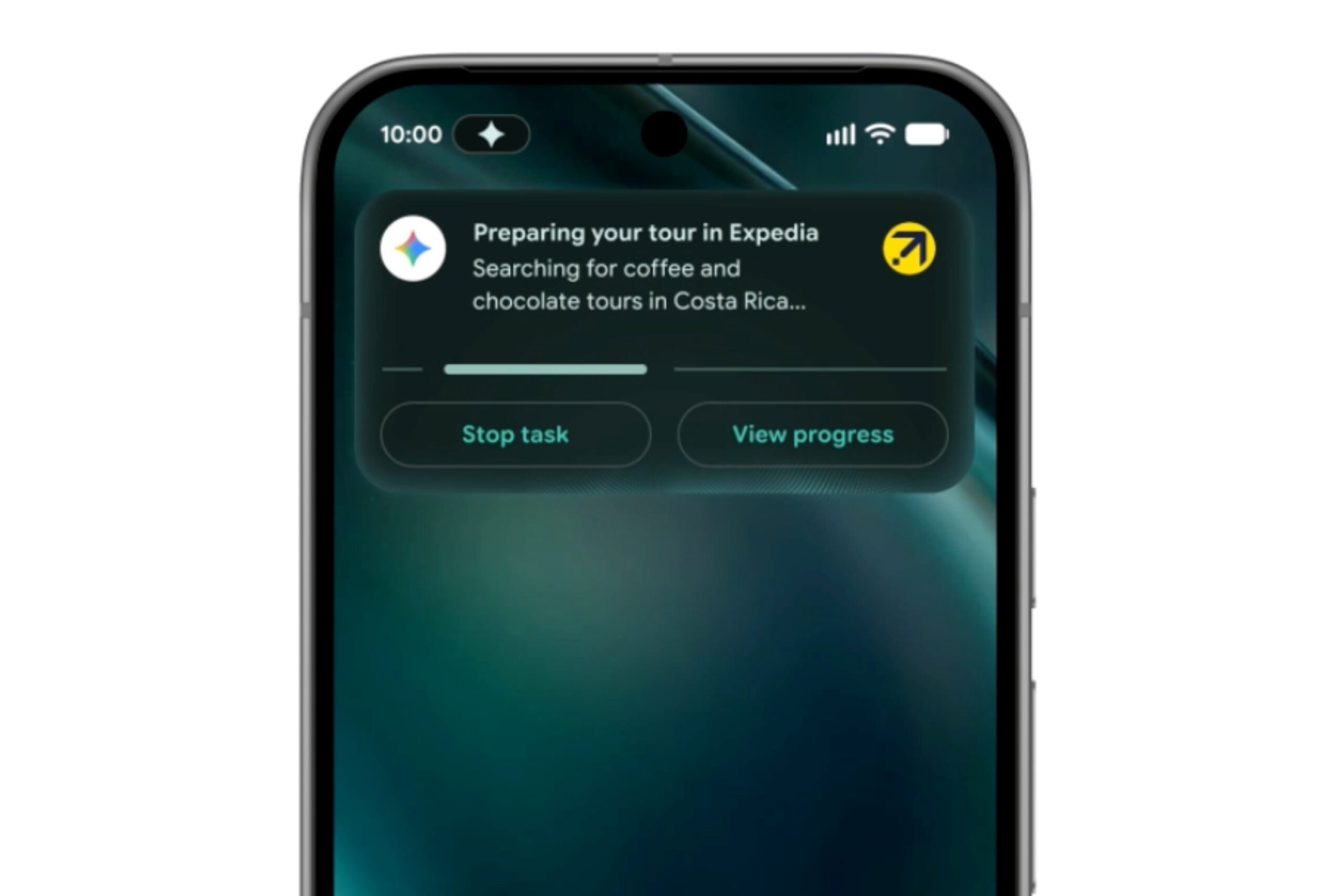
Before you can decide where your role begins, you need a clear picture of Gemini's capabilities. Gemini Intelligence isn't just a chatbot — it's an agentic AI that can perform sequences of actions across multiple apps. For example, it can search for flights, compare prices, check your calendar, and book a ticket without you tapping once. Write down a list of everyday tasks you currently do manually. For each, ask yourself: 'Could Gemini do this from start to finish?' This step is about mapping the frontier — knowing exactly where AI competence ends and your judgment begins.
Step 2: Categorize Tasks by Control Level
Not every task deserves the same amount of oversight. Divide your tasks into three categories: 'Full Autonomy' (low-risk, repetitive), 'Supervised Execution' (medium-risk, need final approval), and 'Manual Only' (high-risk, creative, or personal). For instance, setting a timer or playing a playlist can be full autonomy. Drafting an email to your boss might be supervised — let Gemini write, but you hit send. Anything involving sensitive data, finances, or deeply personal communication should stay in the manual zone. Create these categories in a notes app or spreadsheet
Step 3: Set Up Permission Boundaries in Gemini Settings
Android's Gemini settings allow you to control which apps and data the AI can access. Go to Settings > Google > Gemini. Here you can toggle permissions for Calendar, Messages, Drive, Photos, and more. Revoke access for any app that falls under your 'Manual Only' category. For 'Supervised' tasks, leave access on but enable confirmation prompts. This way, Gemini will ask before performing actions like sending a text or making a purchase. Review these settings weekly as you discover new use cases.
Step 4: Practice the 'Supervisor Mindset'
When you first let Gemini run a task, don't just watch passively. Actively supervise: read the on-screen steps, verify each action, and ask yourself if you would have done it differently. For example, if Gemini orders groceries, double-check the list, the store, and the delivery time before approving. Over time, you'll develop intuition for which sequences are reliable and which need adjustment. The goal is to shift from 'hovering' to 'strategic oversight' — you're the manager, not the micro-manager.
Step 5: Use Gemini as a Creative Collaborator, Not a Replacement
Once you're comfortable with delegation, elevate your role. Instead of asking Gemini to 'plan a trip to Paris', try: 'Gemini, generate three itinerary options for a budget-friendly 5-day Paris trip, highlighting museums and bakeries.' Review the options, mix and match, and add your own flair. This turns the AI into a brainstorming partner — you provide the taste, it provides the legwork. For work tasks, ask for drafts, then edit them with your voice. You become the editor-in-chief, while Gemini handles the research and formatting.
Step 6: Build a Feedback Loop
Gemini learns from your preferences, but only if you correct it. After any action it takes, give explicit feedback. If a suggestion for a restaurant is off, say 'Too expensive' or 'Too far.' Over time, the AI will align with your taste. Make it a habit to rate or comment on Gemini's outputs. This feedback loop is vital because it ensures the AI adapts to you, not the other way around. You'll notice that after a few weeks, Gemini requires fewer corrections for routine tasks.
Step 7: Regularly Revisit Your Role
Every month, take 10 minutes to review how your interaction with Gemini has changed. Are there tasks you've moved from 'Supervised' to 'Full Autonomy'? Have you discovered new capabilities that allow you to offload more? Use this time to also re-read the permissions settings — sometimes an app update resets your preferences. This step keeps you intentional. The danger is falling into passive acceptance where Gemini runs your digital life without your conscious choices. Stay curious and ask: 'Am I still the one deciding what matters?'
Tips for a Healthy AI Partnership
- Start small: Delegate one low-risk task (like weather alerts or playlist curation) for a week before expanding.
- Keep a 'fail log': Write down any instance where Gemini made a mistake. Review it to see if you can improve your prompts or permissions.
- Maintain manual routines: Deliberately do a few tasks yourself each day — like handwriting a note or picking a song — to stay grounded in your agency.
- Use voice for oversight: When supervising Gemini, use voice commands like 'Cancel that' or 'Change the date' to stay hands-free but in control.
- Educate family and coworkers: If you share an account or calendar, ensure they understand which tasks are now AI-handled to avoid surprises.
Ultimately, Gemini Intelligence doesn't have to make you redundant. By defining roles, setting boundaries, and actively collaborating, you transform from a passive observer into a strategic partner with a supercharged assistant. The point of Android isn't to do everything for you — it's to give you the tools to do more of what you care about.
Related Articles
- AWS Unveils Major Updates to Amazon Quick and Amazon Connect at 'What’s Next' Event
- Why OpenAI Believes Businesses Are the Biggest Winners in AI Adoption
- Breakthrough in AI Interpretability: SPEX Algorithms Unmask Hidden Interactions in Large Language Models at Unprecedented Scale
- How to Build Type-Safe LLM Agents with Pydantic AI: A Step-by-Step Guide
- 6 Key Insights from UK AI Security Institute’s GPT-5.5 vs Claude Mythos Vulnerability Test
- Shivon Zilis, Mother of Four of Elon Musk’s Children, Testifies in Court – Reveals ‘One-Off’ Romantic Encounter
- SEAL: MIT's Breakthrough Enables Large Language Models to Self-Update Weights
- Why AI Pets Are the Desktop Companions We Didn't Know We Needed