8 Reasons Why Aerion Might Be the Desktop Email Client You've Been Waiting For
If you've been relying on webmail for years but miss the simplicity of a dedicated desktop app, you're not alone. I recently gave desktop email clients another try after a long break, and Aerion caught my attention. This lightweight, open-source application promises a clean interface without the bloat of older solutions. Here are eight things you need to know about Aerion before you download it.
1. What Aerion Is and Why It’s Different
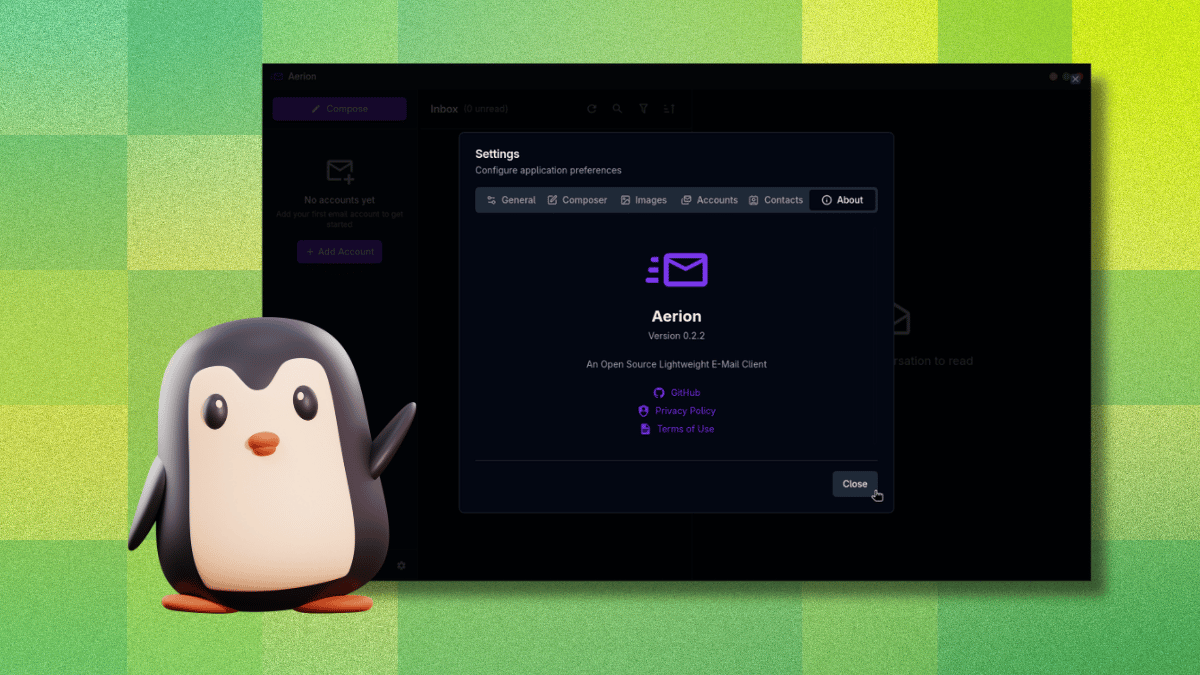
Aerion is a free, open-source desktop email client developed by a small team sponsored by 3DF. Unlike many modern apps that are built on Electron, Aerion uses Wails and Svelte under the hood, which makes it remarkably lightweight and resource-efficient. The project draws inspiration from GNOME’s Geary but aims to be even more minimal, ditching the extra baggage that often weighs down Linux email clients. For users who want a dedicated home for their inbox without opening a browser tab for each account, Aerion provides a local, streamlined solution that syncs your emails without hogging system resources.
2. Open Source and Independently Security-Certified
Security is a major concern when handling email credentials, and Aerion takes it seriously. The app holds a CASA Tier 2 certification, assessed by TAC Security (a Google authorized assessor under the App Defense Alliance). This means its codebase has been scanned and verified against OWASP ASVS standards by an independent third party. For a small indie project, this is a huge reassurance—it proves that the developers have invested in proper security practices. As discussed in What Aerion Is, the open-source nature also allows anyone to audit the code, adding an extra layer of trust.
3. Core Features That Cover the Essentials
Aerion doesn’t try to do everything—it focuses on the features that matter most. You get support for multiple accounts, elegant email threading (conversation view), a WYSIWYG composer powered by TipTap, and contact sync via CardDAV, Google, and Microsoft. The app also includes multiple color themes and keyboard navigation with Vim-style shortcuts for power users. It’s designed to be simple yet functional, allowing you to compose, organize, and sync your content without unnecessary distractions. For a pre-release app, this feature set is impressively solid.
4. Supported Email Providers: Wide but Some Untested
Aerion works with many popular email services. Officially supported providers include Gmail, Microsoft 365/Outlook, Proton Mail (via the paid Proton Bridge), iCloud Mail, GMX Mail, and generic IMAP/SMTP setups. The developers also list Yahoo, Fastmail, Zoho Mail, AOL Mail, and Mail.com as compatible, though these were marked as untested at the time of writing. If you use one of the untested services, you may encounter issues, but the core functionality should work. As highlighted in Core Features, Aerion is designed for flexibility, so most IMAP-based accounts can be added without trouble.
5. Smooth Account Setup with One Annoying Catch
Adding your email account is generally straightforward. For Gmail, Aerion redirects you to your browser for OAuth authorization, and after granting permissions, you’re returned to the app fully authenticated. I found this process smooth and intuitive. However, there is a critical design flaw: if you click anywhere outside the “Add Email Account” window while it’s open, the entire setup dialog closes without any warning or confirmation. All progress is lost, and you have to start over. This is a frustrating UX issue that the developers should address before the stable release.

6. Built for Performance Without Electron Bloat
One of Aerion’s biggest selling points is its performance. By using Wails (a Go framework) and Svelte (a modern JavaScript compiler), the app avoids the heavy memory footprint typical of Electron-based email clients. The result is a snappy interface that starts quickly and handles multiple accounts without lag. As mentioned in What Aerion Is, the developers explicitly aimed to be resource-efficient, making Aerion a great choice for older hardware or users who keep many apps open simultaneously. Linux users, in particular, will appreciate the lack of bloat compared to alternatives like Thunderbird.
7. Still Pre-Release: Expect Some Rough Edges
It’s important to remember that Aerion is still in pre-release, so you may encounter bugs or missing features. The developers are actively working on improvements, but stability is not yet guaranteed. For example, besides the account setup window issue, I noticed that fetching emails occasionally stalled and required a restart. The team provides updates through their GitHub repository, so you can track progress and report issues. If you’re comfortable using beta software, Aerion is functional enough for daily use, but don’t rely on it for mission-critical email management just yet.
8. How It Compares to Thunderbird and Others
Thunderbird has long been the default choice for Linux users, but it can feel dated and resource-heavy. Aerion, by contrast, offers a modern, minimal interface and a lighter footprint. It lacks Thunderbird’s extensive plugin ecosystem and advanced features like calendars and RSS, but for pure email management, it’s faster and simpler. If you’ve been using webmail exclusively—as I had for years—Aerion’s clean design and speed make it a compelling reason to return to a desktop client. The CASA Tier 2 certification also gives it a security edge over many alternatives. As noted in Smooth Setup with Catch, there are some rough edges, but for many users, Aerion is already a worthy contender.
Conclusion: If you’re willing to overlook a few early-stage quirks, Aerion offers a promising return to desktop email with modern security and performance. It may be the nudge you need to ditch the browser tabs and consolidate your inboxes into a single, lightweight application. Give it a try—you might find that the old concept of a desktop email client, when done right, still has plenty to offer.
Related Articles
- From Berlin Side Project to $5.2 Billion AI Orchestrator: A Step-by-Step Guide to Building an Enterprise-Transforming Open-Source Tool
- Why the Apple Vision Pro Is Far From Dead: The Truth Behind the Rumors
- CloakBrowser Launches as Open-Source Tool for Stealthy Web Automation, Persistence, and Anti-Detection
- Why I Switched to Helix After Two Decades of Vim
- Understanding Local-First Web Development: A Practical Guide
- Streamlining Kubernetes Troubleshooting with GROOT: Automated Diagnostic Collection
- 10 Hidden Security Risks of AI Agents with Tools and Memory
- Your Guide to April 2026 Linux App Updates: Install and Upgrade Like a Pro