Choosing Between Apple Watch Ultra 2 and WHOOP MG: A 60‑Day Wearable Comparison Guide
Overview
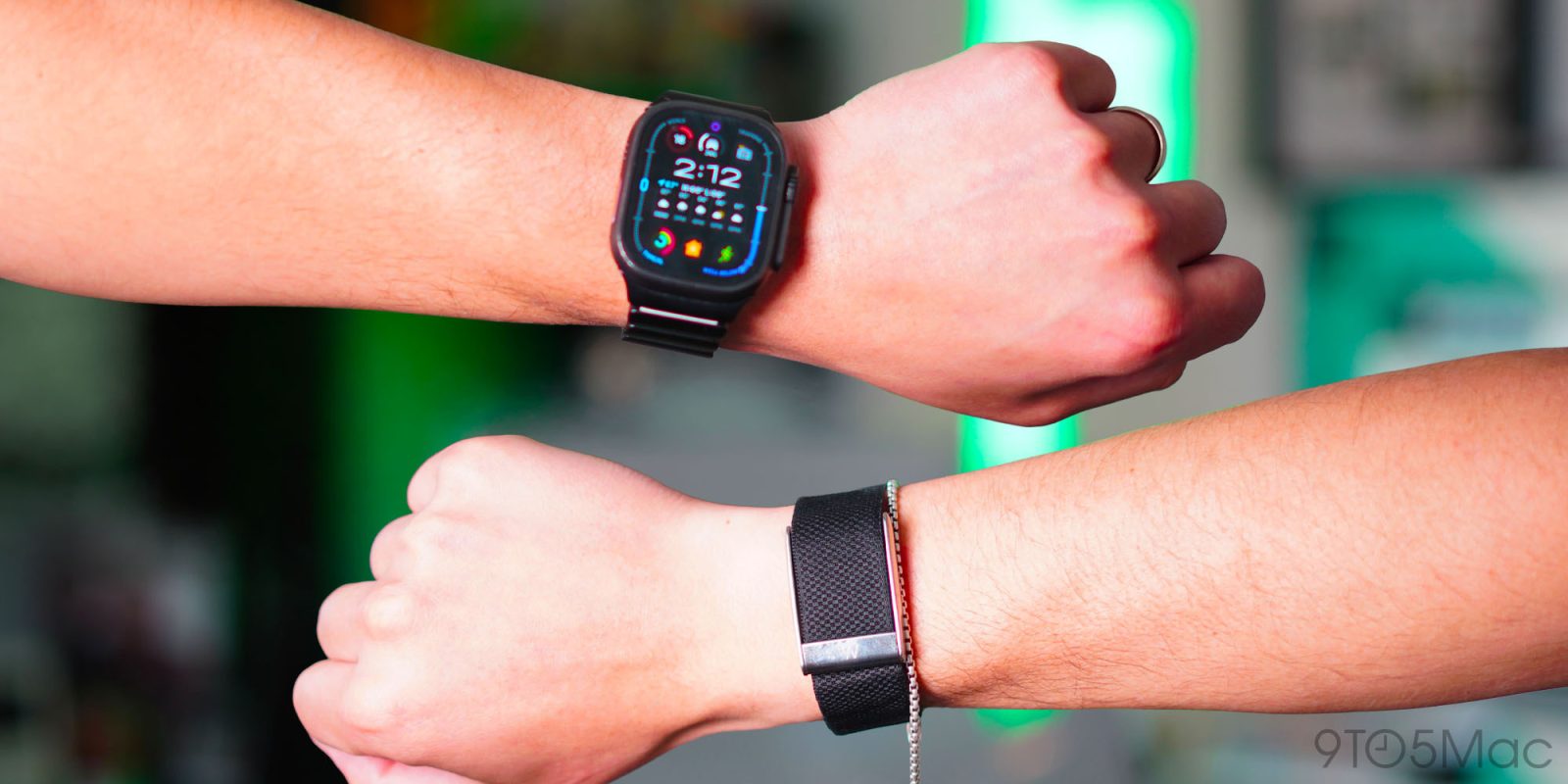
After spending two months wearing both the Apple Watch Ultra 2 and the latest WHOOP MG simultaneously, I gained firsthand insight into what each device truly excels at. The decision between these two wearables isn't just about features—it's about understanding your personal health priorities. This guide walks you through my systematic 60‑day evaluation, covering setup, sleep tracking, fitness monitoring, battery life, and overall usability. By the end, you'll have a clear framework for deciding which device fits your lifestyle, whether you're a dedicated athlete, a tech enthusiast, or someone simply aiming for better wellness.
Prerequisites
Before starting your own comparison, you'll need the following:
- Both devices – An Apple Watch (preferably Ultra 2 for direct comparison) and a WHOOP MG band with a subscription.
- Compatible smartphone – An iPhone for the Apple Watch and either iOS or Android for WHOOP.
- WHOOP subscription – The WHOOP MG requires a monthly or annual membership to access data and insights.
- Time commitment – At least 30–60 days to gather meaningful trends and adapt to wearing both.
- Basic app knowledge – Familiarity with the Apple Health app (or Health Fit on iOS) and the WHOOP app.
Step‑by‑Step Evaluation Process
1. Setup and Calibration
Pair the Apple Watch Ultra 2 with your iPhone using the Watch app. Ensure all health permissions are granted. For WHOOP, download the app, create an account, and follow the pairing instructions. Both devices will ask for personal metrics (age, weight, height) to calibrate daily targets. Wear the WHOOP on your non‑dominant wrist (or as recommended) and the Apple Watch on the other wrist. During the first week, allow both to learn your baseline: WHOOP will ask for a few days of data before providing strain and recovery scores, while Apple Watch will calibrate its motion sensor and heart rate monitor.
2. Sleep Tracking
WHOOP is renowned for its sleep analysis. Each morning, review the Sleep Coach feature—it shows time in bed, sleep stages (light, deep, REM), and a Recovery score. Apple Watch uses its own sleep stages but relies on the iPhone to set bedtime schedules. During the 60 days, I noticed WHOOP more accurately captured wakefulness and sleep latency. Apple Watch's sleep data is more basic but integrates seamlessly with Apple Health. Tip: For best results, charge both devices earlier in the evening so they can track overnight without interruption.
3. Fitness and Activity Tracking
Apple Watch shines with native workout detection and GPS for outdoor runs and swims. It logs active energy, exercise minutes, and stand hours. WHOOP focuses on cardiovascular strain—measuring heart rate variability (HRV) and creating a daily strain target based on your recovery. While wearing both, I compared mileage and pace data; the Apple Watch was more precise for distance due to its multi‑band GPS. However, WHOOP’s strain coach helped me avoid overtraining by alerting when my day's strain was too high for my recovery level.
4. Battery Life and Charging Habits
Battery life is a major differentiator. The Apple Watch Ultra 2 lasts up to 36 hours with typical use. WHOOP MG offers 4–5 days per charge. During the trial, I had to charge the Apple Watch daily (usually while showering), whereas WHOOP could be charged every third day—often overnight. WHOOP’s battery pack is external and attaches to the band, so you can charge without removing the device, preserving sleep tracking continuity. Apple Watch requires a magnetic charger; charging during a low‑activity window is best.

5. Interpreting Your Health Data
Both devices track heart rate, HRV, respiratory rate, and skin temperature (Apple Watch only with certain models). WHOOP presents a three‑metric dashboard: Recovery (green/yellow/red), Strain (daily load), and Sleep (duration and quality). Apple Watch’s Health app consolidates data but lacks a singular wellness score. After 60 days, I found WHOOP’s recovery‐based approach more actionable for adjusting daily effort. Apple Watch’s trends over weeks are useful for long‑term pattern recognition. Use both by reviewing WHOOP each morning and Apple Health each week.
6. Community and Motivation
WHOOP has a vocal community—users share their recovery scores and challenges. Apple Watch leverages Apple’s ecosystem with friends sharing Activity rings. During the trial, I engaged with WHOOP’s community via teams and challenges, which added social accountability. Apple Watch’s competitions are more gamified (e.g., monthly challenges). Choose based on whether you prefer a fitness cult (WHOOP) or a polished social platform (Apple Watch).
Common Mistakes
- Wearing both on same wrist – This skews step count and heart rate readings. Always wear one per wrist.
- Relying only on one metric – WHOOP’s recovery score is powerful but not infallible; combine with subjective feel. Apple Watch’s move goal isn’t a measure of overall health.
- Ignoring charging timing – If you charge WHOOP during sleep, you lose valuable data. Use the external battery pack to top up while awake.
- Skipping calibration – Both devices need at least a week to set baseline HRV and resting heart rate. Expect inaccurate scores initially.
- Comparing daily scores too rigidly – Health metrics vary day to day. Look at trends over weeks, not single days.
- Forgetting privacy settings – Apple Watch data syncs automatically; WHOOP shares by default. Review permissions to control what’s shared.
Summary
After 60 days of simultaneous wear, the Apple Watch Ultra 2 and WHOOP MG serve different but complementary roles. The Apple Watch is a multipurpose smartwatch with robust fitness tracking and deep iOS integration, ideal for active users who want an all‑in‑one device. WHOOP focuses relentlessly on recovery and strain management, appealing to athletes and data enthusiasts who prioritize optimizing training load. Your choice hinges on what matters most: versatility and ecosystem (Apple Watch) or a dedicated wellness coach that lives on your wrist without distraction (WHOOP). Both can coexist, but for most people, wearing one is enough—and now you know how to decide.
Related Articles
- How to Reclaim SSD Space by Removing Hidden Old Drivers from Windows
- Mastering KV Cache Compression with TurboQuant: A Practical Guide
- How to Build a Skills-First Hiring Process: A Practical Guide for Modern Employers
- Mastering Data Wrangling at Scale: From Raw Data to Enterprise AI Readiness
- Save Big on Top Women's Running Shoes: Nike, Brooks, Saucony & More on Sale Now
- How to Build and Deploy AI-Powered Robots with NVIDIA’s Latest Platforms
- Exploring Neural Networks: The Activation Atlas
- Markdown Adoption Surges as Essential GitHub Skill for Developers